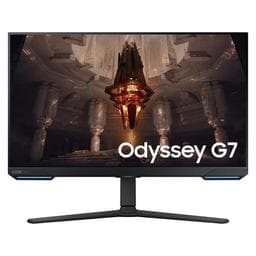
Samsung Odyssey G7 28.0" 3840 x 2160 144 Hz Monitor
As an Amazon Associate we earn from qualifying purchases.
Key Highlights
- 3840 x 2160 Resolution
- 144 Hz Refresh Rate
- Built-in Speakers
- VESA Mount Compatible
Monitor Properties
What these values mean
Spec sheets are written to sell a monitor, not to explain it. These notes cover what each value changes in everyday use.
The company that designs, sells, and services the monitor. It is usually not the company that made the panel inside, and it handles warranty claims.
The manufacturer's exact model code, including regional and revision variants. Use it to confirm you are comparing the same version.
The diagonal measurement of the image area in inches. A larger panel is not automatically sharper: pixel density also depends on resolution and viewing distance.
The number of physical pixels across and down. More pixels fit more on screen and sharpen text, but they also demand more from the graphics card and often need display scaling.
How many times per second the panel can draw a new frame. 60 Hz is fine for office work; 120 Hz and above make scrolling, animation, and fast camera movement look smoother.
How quickly a pixel changes shade, measured in milliseconds. Lower values reduce smearing in fast motion, though vendors measure this differently, so compare like-for-like reviews.
The display technology. IPS gives wide viewing angles and stable colours, VA gives deeper contrast but slower motion, TN is fast and cheap but narrow, and OLED switches individual pixels for true blacks.
The width-to-height ratio of the image area. 16:9 is the standard, 21:9 ultrawide adds horizontal space, and 16:10 adds height that suits documents and code.
The colour of the stand and bezel. Cosmetic only; it has no effect on the picture.
Luminance in candela per square metre (cd/m², or nits). Around 250 nits suits a dim office, 300–350 nits copes with daylight, and 400 nits or more is where HDR starts to become meaningful.
The distance between the centres of two pixels in millimetres. A smaller pitch means a denser, sharper image at the same size; it is another way of expressing pixel density.
Whether the panel is wider than the old 4:3 and 5:4 shapes. Almost every current monitor is widescreen, so a "No" here usually marks an older or specialist model.
Whether the panel bends toward the viewer. A curve keeps the edges of very wide screens at a comfortable distance; flat panels are easier for precise line work.
Speakers built into the monitor. They are useful for a tidy desk or a quick video call, but almost always sound thinner than separate speakers or headphones.
The hole pattern on the back for an arm or wall mount, for example 100 × 100 mm. Check the pattern and the weight rating of the mount before buying.
The angle at which contrast falls to a usable minimum, usually quoted as 178° for IPS and OLED. Wider is better for shared viewing; a single user sitting straight on notices less.
The video and data connectors on the monitor, such as HDMI, DisplayPort, and USB-C. Match them to your devices; USB-C can carry video, data, and laptop charging over one cable.
Values are taken from the manufacturer's published specifications and may vary by revision.
More monitors from Samsung
Other models from the same manufacturer, across sizes and price points.
- SamsungSamsung Odyssey G7 T1 Faker Edition 27.0" 2560 x 1440 240 Hz Curved Monitor27" · 2560 x 1440
- SamsungSamsung Odyssey G7 T1 Faker Edition 32.0" 2560 x 1440 240 Hz Curved Monitor32" · 2560 x 1440
- SamsungSamsung Odyssey G70B 32.0" 3840 x 2160 144 Hz Monitor32" · 3840 x 2160
- SamsungSamsung Odyssey G8 34.0" 3440 x 1440 175 Hz Curved Monitor34" · 3440 x 1440
Other 28" monitors
Same screen size, different panels and features.